


Universal TV Remote Control
3.910.28K Reviews
App Specs
- Version
- 3.3.2
- Updated On
- License
- Free
- Downloads
- 100,000,000+
- Developer
- CodeMatics Media Solutions
- Categories
- House & Home
- Platform
- Android, iOS
Screenshots
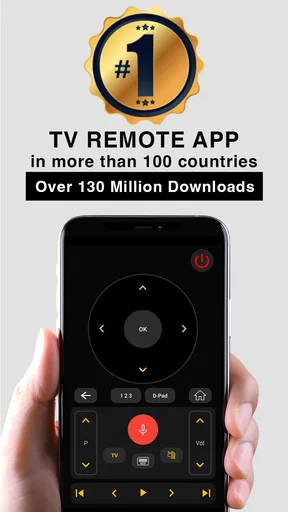
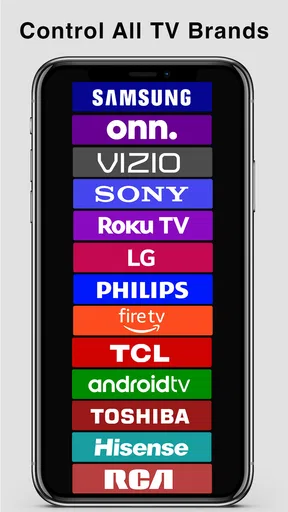
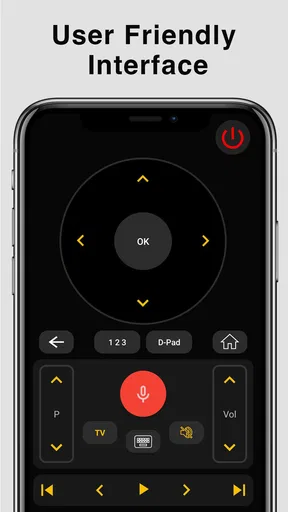
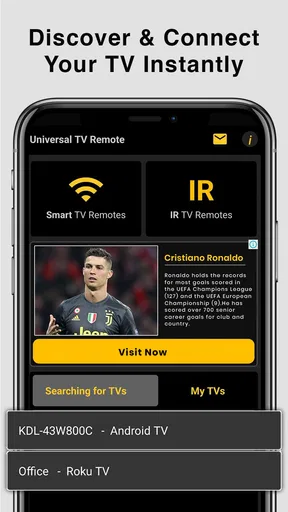
 Analysis by AppCompare
Alright, so you’ve lost the remote again, haven’t you? Or maybe it’s just hiding in some alternate universe under the couch. Either way, welcome to the digital age where your smartphone can transform into a Universal TV Remote Control. Yeah, you heard me right! Let’s dive into this app and see if it really lives up to its promise.
Setting Up Your New Remote
First things first, let’s talk about getting this bad boy set up. The Universal TV Remote Control app is available on both Android and iOS, so no worries about compatibility here. Just hop onto your app store, download, and install. Simple, right?
Once you open the app, you’re greeted with a pretty straightforward interface. It prompts you to connect to your TV. Make sure your TV is on and your phone is connected to the same Wi-Fi network. This is crucial, folks. The app uses Wi-Fi to communicate with your TV, so if you’re on a different network, it’s like speaking two different languages.
Guides and Analysis on Universal TV Remote Control
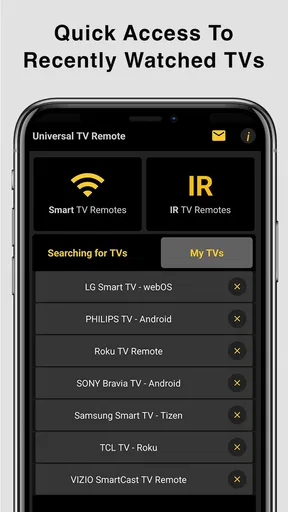
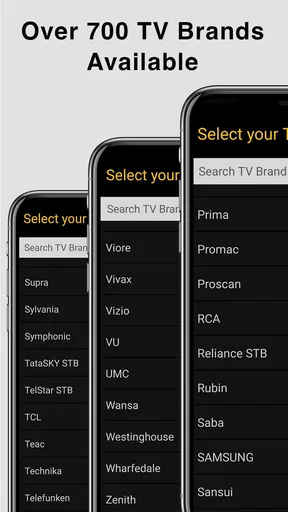
After you pair your phone with the TV, which usually takes just a few taps, you’re in business. The app supports a wide range of TV brands, from Samsung to LG to Sony. Pretty comprehensive, huh?
Features That Make Life Easier
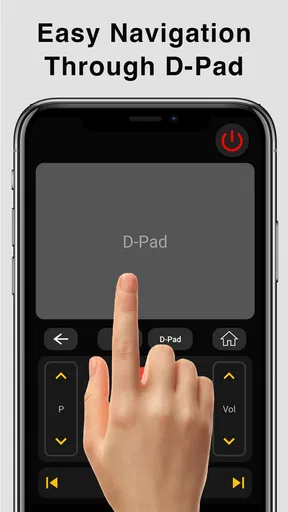
Let’s break down the features. The app doesn’t just stop at basic controls like changing channels or adjusting the volume. You’ve got a whole virtual remote layout on your screen, including a keyboard for typing in search fields, which is a lifesaver when you’re trying to find that obscure movie title.
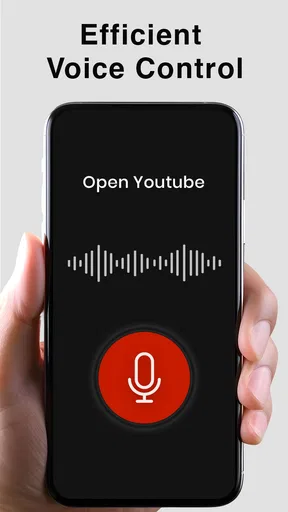
There’s also a voice control feature. Yup, just talk to your phone and watch the magic happen. It’s like having a personal assistant for your TV. Want to switch to Netflix? Just say it. Feel like watching the news? Boom, done. It's super handy, especially when you’re feeling too lazy to type.
One cool feature I found is the ability to create custom remotes. You can set up your favorite channels or streaming apps for quick access. It’s all about making your experience as seamless as possible.
Worth Reading Before You Choose

QuizzLand Review: A Good Fit for Short Trivia Breaks, Not Every Player

Basketball Stars: Multiplayer Is Fast, but Can It Recover When Matches Go Wrong?

WEBTOON Turns Phone Updates Into a Better Reading Routine

Link to Windows Runs on Shared Habits, Not Social Feeds

How Alibaba.com Dominates the B2B Marketplace

Metro's Quiet Rise: Redefining Mobile Communication
Performance in Real Life
Now, let’s talk about how it performs. In my experience, the response time is pretty snappy. No noticeable lag when switching channels or pausing a show. It’s almost as if you’re using the physical remote.
However, a quick heads up: performance can depend on your Wi-Fi quality. A strong connection is your best friend here. I found the app struggled a bit when my Wi-Fi was acting up, but hey, that’s more on my network than the app itself.
Is It Worth It?
So, is the Universal TV Remote Control app worth downloading? In a word: absolutely. If you’re like me and constantly misplacing the remote or just want a more convenient option, this app is a game-changer. It’s like carrying a universal remote in your pocket wherever you go.
Plus, it’s free to download, so you’re not losing anything by giving it a try. The in-app purchases are optional and mostly for removing ads, which aren’t too intrusive to begin with.
In conclusion, this app does exactly what it promises and does it well. It’s user-friendly, efficient, and packed with features that make controlling your TV a breeze. So go ahead, give it a shot and reclaim dominion over your living room!
Pros
- Supports multiple TV brands seamlessly.
- User-friendly interface for easy navigation.
- Quick setup with intuitive connection guide.
- Customizable remote layout options.
- No need for physical remote replacements.
Cons
- Requires stable Wi-Fi for optimal performance.
- May experience occasional connection drops.
- Limited advanced features for smart TVs.
- Ads can be intrusive during use.
- Not compatible with older TV models.
FAQs for Universal TV Remote Control
How does the Universal TV Remote Control app work?
The Universal TV Remote Control app functions by using your smartphone's infrared (IR) blaster or Wi-Fi connection to emulate a remote control for your TV. Once installed, it allows you to select your TV brand and model, connecting seamlessly to manage basic and advanced TV functions such as volume, channel changes, and input selection.
Is the Universal TV Remote Control app compatible with all TV brands?
While the app supports a wide range of TV brands, it's essential to check if your specific brand and model are supported. The app usually lists compatible brands in its description. If your TV is relatively new and supports IR or Wi-Fi connectivity, there's a good chance it'll work with this app.
Do I need an infrared (IR) blaster on my phone for this app to work?
An IR blaster is necessary for older TV models that don’t support Wi-Fi connectivity. Many newer phones come equipped with this feature, but if yours doesn't, the app can still function with Wi-Fi-enabled TVs, provided both the TV and your phone are connected to the same network.
Is the Universal TV Remote Control app free to use?
The app is typically free to download and use for basic functionalities. However, it may offer in-app purchases or premium versions that unlock additional features, such as removing ads or providing support for more devices. Check the app store listing for specific pricing details.
What should I do if the app doesn't work with my TV?
If the app doesn't initially work with your TV, ensure your phone's IR blaster is functioning or that both devices are on the same Wi-Fi network. Double-check the compatibility list in the app description. If issues persist, consider reaching out to customer support for troubleshooting assistance.


